





What's new

Home Router & WiFi Security Steps?

LordJames

Post of the Week winner
Joined
Sep 4, 2015
Runs
2,947
Post of the Week
2
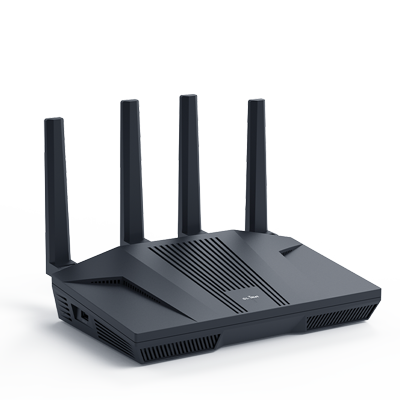
I have recently bought the Flint 2 (GL-MT6000) - Wi-Fi 6 AX6000 Home Router
table_mt6000.png


And then I have:
  1. Turned ON DDNS
  2. Turned ON AdGuard Home
  3. It offers DNS over HTTPS (DoH) and DNS over TLS (DoT) by default
  4. Turned ON MAC Address Spoofing
  5. Turned OFF all access back to my router
  6. Bought SurfShark and enabled WireGuard VPN and tested and my ISP Public IP and location are masked and VPN locations are showing
WireGuard VPN is extremely fast and I see no lag or speed problems and all my devices are fine.

Reading all the reviews, this is a fantastic router so what else can I do? I am a novice so don't understand these technical things.

Thanks
 
I have recently bought the Flint 2 (GL-MT6000) - Wi-Fi 6 AX6000 Home Router

table_mt6000.png


And then I have:
  1. Turned ON DDNS
  2. Turned ON AdGuard Home
  3. It offers DNS over HTTPS (DoH) and DNS over TLS (DoT) by default
  4. Turned ON MAC Address Spoofing
  5. Turned OFF all access back to my router
  6. Bought SurfShark and enabled WireGuard VPN and tested and my ISP Public IP and location are masked and VPN locations are showing
WireGuard VPN is extremely fast and I see no lag or speed problems and all my devices are fine.

Reading all the reviews, this is a fantastic router so what else can I do? I am a novice so don't understand these technical things.

Thanks
Go on youtube - or even google search your problems
 
I have recently bought the Flint 2 (GL-MT6000) - Wi-Fi 6 AX6000 Home Router

table_mt6000.png


And then I have:
  1. Turned ON DDNS
  2. Turned ON AdGuard Home
  3. It offers DNS over HTTPS (DoH) and DNS over TLS (DoT) by default
  4. Turned ON MAC Address Spoofing
  5. Turned OFF all access back to my router
  6. Bought SurfShark and enabled WireGuard VPN and tested and my ISP Public IP and location are masked and VPN locations are showing
WireGuard VPN is extremely fast and I see no lag or speed problems and all my devices are fine.

Reading all the reviews, this is a fantastic router so what else can I do? I am a novice so don't understand these technical things.

Thanks
Bro has activated all security and still wants more
 
Back
Top